
Generative UI (GenUI): Adaptive AI Interfaces for Enterprise

 By Admin
 August 24, 2026
Generative UI (GenUI): Designing Intent-Driven, Real-Time Adaptive Interfaces for Enterprise AI Workflows
For years, enterprise software has asked employees to adapt to the interface. Generative UI (GenUI) flips that relationship: the interface adapts to the person using it, assembling itself in real time around what they're actually trying to do. Rather than a fixed set of screens shipped once and used by everyone, a generative interface reads a user's intent and context, then builds the layout, controls, and data views that fit that specific moment a dashboard, a form, a workflow step instead of forcing them to hunt through a static menu. For CTOs and engineering leaders already investing in agentic AI, GenUI is the layer that decides whether those agents feel like genuine teammates or just another chatbot bolted onto legacy screens.
What Is Generative UI?
Generative UI is a front-end pattern in which a large language model constructs part or all of a user interface at runtime rather than a developer hard-coding every possible screen in advance. Instead of returning a wall of text or a fixed dashboard, the system generates the specific cards, charts, forms, or workflow steps that match a user's request, then rebuilds that view the next time the context changes.
It's worth distinguishing GenUI from terms it often gets lumped in with:
Responsive design adjusts layout to screen size, same content, different arrangement.
Adaptive UI has existed for two decades in a rule-based form (think Netflix swapping a thumbnail, or old-school "adaptive menus" that hid rarely-used commands). It personalizes what's shown, within a fixed structure.
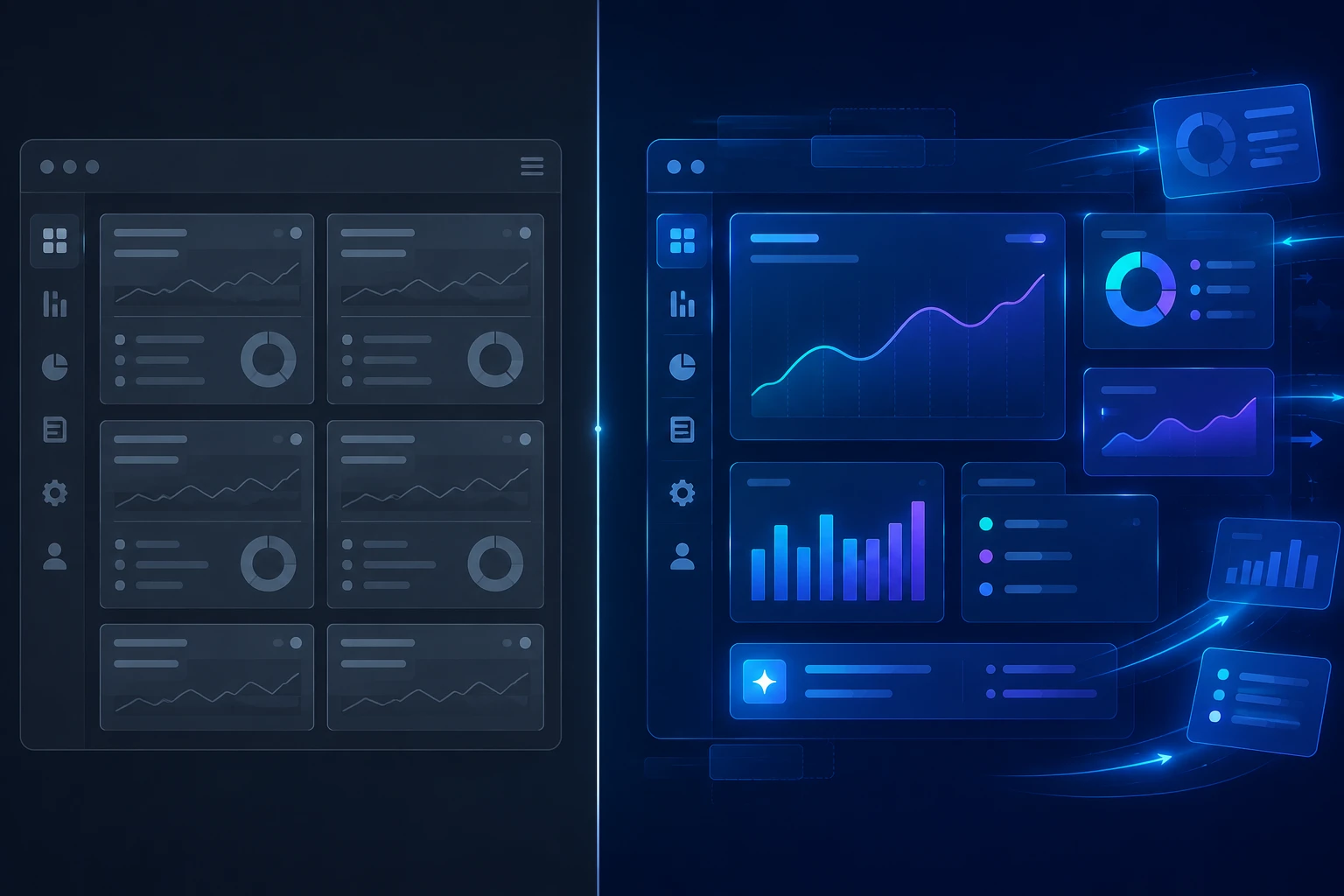
Generative UI goes further: the structure itself which components exist, how they're arranged, what workflow they support is generated on the fly, not selected from a pre-built list of states.
Two architectural patterns dominate current implementations. Declarative GenUI has the model choose and configure components from a constrained, pre-approved library safer and more predictable, since every possible output has already been designed and tested. Open-ended GenUI lets the model generate raw markup or code directly, which is more flexible but introduces real reliability and security questions, since the application is effectively letting a model participate in its own runtime behavior. Most production enterprise deployments today lean declarative, using open protocols like Google's A2UI a framework-agnostic standard that lets an agent describe UI intent once and render it consistently across web, mobile, and other surfaces alongside emerging standards like MCP Apps and the AG-UI protocol.
Why Generative UI Matters for Enterprise AI Workflows
The pressure behind GenUI isn't aesthetic; it's a widening gap between what employees experience with consumer AI and what they're handed at work. Gartner's survey of more than 5,000 digital workers found that only 23% were completely satisfied with their work applications in 2024 down from 30% just two years earlier. Off the back of that data, Gartner forecasts that more than 20% of digital workplace applications will use AI-driven personalization algorithms to generate adaptive worker experiences by 2028, up from a small fraction today.
That forecast lines up with how the vendors building this infrastructure describe the problem. SAP's own commentary on its Joule generative UI work frames the current moment bluntly: the future of enterprise software isn't chatbots duct-taped onto legacy screens, but interfaces that materialize around a user's intent, grounded in live data and governed by the user themselves. Independent research backs the underlying preference: a Stanford SALT-NLP study comparing generative interfaces against conversational, chat-only ones found generative interfaces produced up to a 72% improvement in human preference evidence that the "wall of text" problem plaguing many early enterprise AI tools is a real, measurable UX cost, not just a stylistic complaint.
What This Looks Like in Practice
Picture a mid-sized enterprise's cloud operations team, currently juggling six separate hand-built dashboard views to investigate a cost spike, a latency issue, or a failed deployment each view built for a slightly different question, none of them built for the specific question an analyst has right now. A generative interface replaces that sprawl with a single adaptive surface: ask about a billing anomaly, and it assembles a month-over-month comparison, highlights the services that changed most, and surfaces a next-step action all without the analyst manually stitching together five different screens.
This mirrors what's already shipping in production. Salesforce's "Generative Canvas" does something similar for CRM: rather than a static, one-size-fits-all screen, it assembles a dashboard on the fly from the same underlying data sources, pulling in context like calendar events to surface relevant prompts. The pattern holds across vendors; the enterprise value isn't a novelty UI, it's fewer screens to maintain, fewer support tickets from confused users, and less time spent teaching people where things live.
How to Implement Generative UI in Enterprise Workflows
Getting from concept to production requires more than picking a framework. A few practices show up consistently across serious implementations:
Start declarative. Constrain the model to a validated component library rather than letting it generate raw code for a live application. This is the single biggest lever for reliability.
Build in an escape hatch. Every generative surface needs a way for users to pin, reorder, or reset a layout when the AI gets it wrong. Interfaces that regenerate without warning are interfaces users stop trusting.
Design for accessibility from day one. A UI that restructures itself between sessions can break screen readers, keyboard navigation, and predictable focus order if accessibility isn't part of the component contract, not an afterthought.
Govern it like any other AI system. NIST's AI Risk Management Framework defines trustworthy AI systems as valid and reliable, safe, secure and resilient, accountable and transparent, explainable, privacy-enhanced, and fair every one of those characteristics applies directly to an interface a model is generating on the fly, not just to the model's text output.
Know where GenUI doesn't belong. Dashboards, agent outputs, and onboarding flows are strong fits, where the "right" interface genuinely changes based on who's using it. Checkout flows, regulated disclosures, and anything requiring strict auditability are poor fits predictability is the feature there, not a limitation to design around.
This same push toward agent-driven interfaces is closely tied to the broader shift already underway in how agentic AI workflows are transforming enterprise efficiency. GenUI is, in many ways, the visible surface of that same underlying shift: agents doing more of the reasoning, with the interface adapting to show what a human actually needs to see and approve.
None of this is free of risk. Forrester's research on enterprise generative AI adoption points to a governance gap that applies just as much to generative interfaces as to generative text: enterprises are moving faster on adoption than on the controls needed to manage it responsibly, and Forrester's B2B predictions estimate ungoverned generative AI use could cost B2B companies more than $10 billion in combined value through legal exposure, stock impact, and fines. Treating GenUI as a governed, audited system from the start not a UI experiment bolted on later is what separates the deployments that hold up from the ones that don't.
The Future of Generative UI (2026–2028)
Google's own August 2026 research update on generative UI now rolling out inside the Gemini app and Google Search's AI Mode frames it as the natural evolution of a research-to-product cycle: interfaces built dynamically for a single prompt, whether that prompt is one word or a detailed instruction. That framing captures where enterprise software is headed too. Design commentators are already describing this as a shift from conversational UI (asking an AI a question) to delegative UI (assigning an AI a goal and letting it determine the right interface for achieving it) a genuinely different interaction model, not just a visual refresh.

By Gartner's own 2028 horizon, adaptive, AI-personalized workplace applications move from a competitive experiment to a baseline expectation. The organizations best positioned for that shift are the ones treating GenUI as a design discipline now governed, accessible, and built on constrained, tested components rather than something to retrofit once competitors' dashboards start rearranging themselves in real time.
Getting the architecture right is one problem; getting the actual interaction design right the layouts, the escape hatches, the accessibility contracts a generative system depends on is a separate discipline that most engineering teams aren't staffed for. That's where our enterprise UI/UX design services come in: helping teams design the component systems and governance guardrails that make generative interfaces something users trust, not something they route around.
Frequently Asked Questions
What is Generative UI (GenUI)? Generative UI is an AI design pattern where a model constructs interface components, layouts, or entire workflows in real time, based on a specific user's intent and context, rather than relying on screens built and shipped in advance.
How is GenUI different from adaptive or responsive design? Responsive design changes layout for screen size. Adaptive UI personalizes content within a fixed structure. Generative UI goes further, generating the structure itself at runtime rather than choosing from a pre-built set of states.
Is Generative UI safe to use in regulated or enterprise environments? It can be, provided it's built on a constrained, pre-approved component library (a "declarative" approach), includes human override controls, and is governed under a framework like NIST's AI RMF. It's a poor fit for contexts where strict predictability and auditability are the priority.
What frameworks or protocols power Generative UI today? Google's A2UI, MCP Apps, and the AG-UI protocol are among the emerging open standards, alongside developer frameworks like CopilotKit and the Vercel AI SDK's generative UI tooling.
Will GenUI replace UX and UI, designers? No, it shifts what designers do. Instead of designing every fixed screen, designers define the component library, layout rules, and guardrails the AI assembles from, which arguably raises the design bar rather than removing it.
How do you govern and audit an AI-generated interface? Treat it like any other AI system: apply NIST AI RMF's trustworthiness characteristics, log what was generated and why, keep a human override available, and test accessibility as part of the component contract rather than after deployment.